Verify Your WING Routing Before You're On-Site
Upload your .snap file and instantly generate professional routing documentation. Catch patching errors, missing signals, and configuration issues before they become problems.
Free tier available • No credit card required
Catch Routing Errors Before You're On-Site
Review your WING snapshot files before the production day. Save time, reduce stress, and avoid costly mistakes.
Find Errors Early
Spot wrong stagebox patches, missing signals on mix busses (intercom, talkback), and missing recording patches before you arrive at the venue.
Save Valuable Time
Less time troubleshooting on-site means more time for soundcheck, happier clients, and smoother productions.
Reduce Stress
Walk into every gig with confidence knowing your routing is verified. A clear overview means peace of mind.
Common Errors These Tools Help You Catch
Wrong input/output assignments on SD8, S16, or other stageboxes
Missing intercom, talkback, or cue sends on aux and matrix busses
Unpatched or incorrectly routed channels to your recording outputs
Available Tools
Choose a tool to get started with your WING configuration analysis
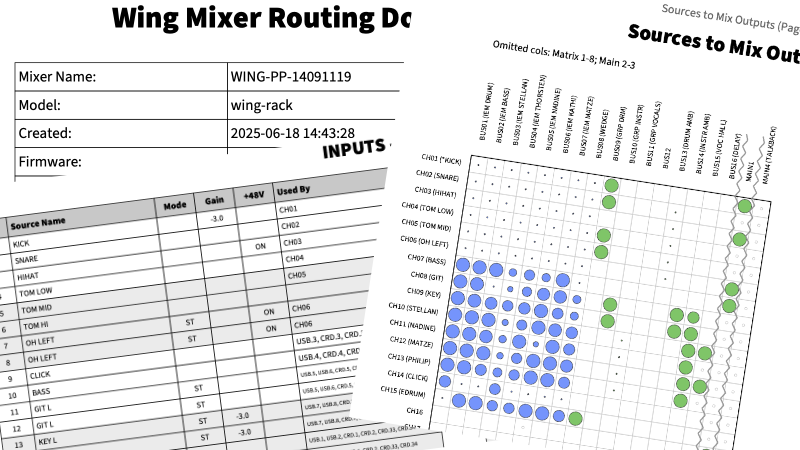
Routing Table Generator
Generate professional PDF or Excel documentation from your WING .snap files. Includes channel lists, routing tables, and visual routing matrices.
- PDF & Excel export formats
- Visual routing matrix
- Input/output usage overview
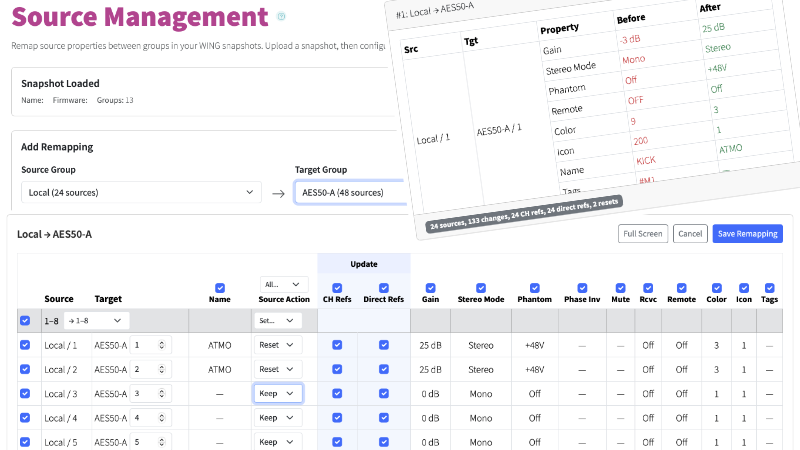
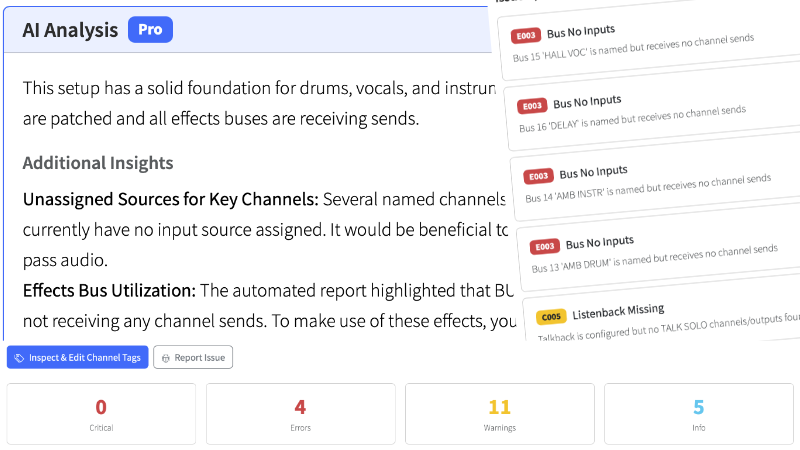
Snapshot Linter
PremiumAutomatically detect common configuration issues in your snapshot files. AI-powered analysis catches problems humans easily miss.
- AI-powered insights
- Configurable rule severity
- Production-type awareness
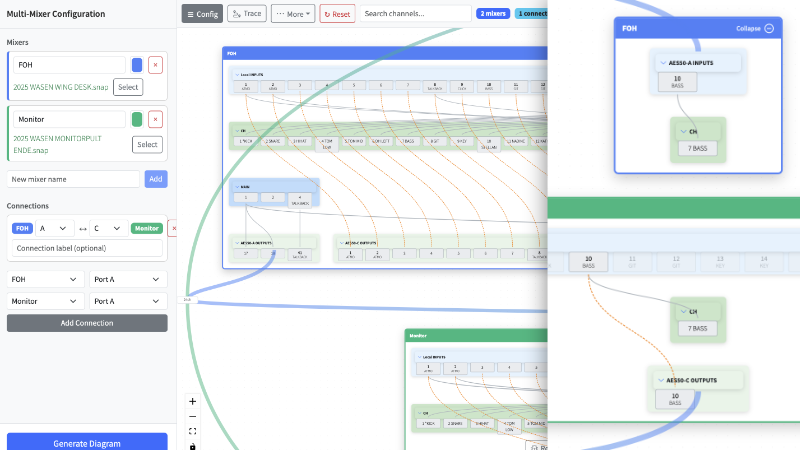
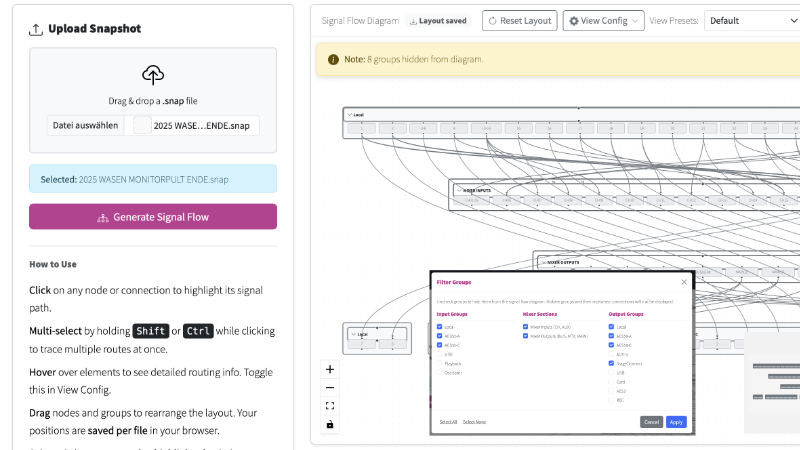
Multi-Mixer Signal Flow
BETAVisualize signal routing across multiple WING consoles. Trace audio paths between mixers in complex multi-console setups.
- Cross-mixer signal tracing
- Multi-console visualization
- Shared I/O detection
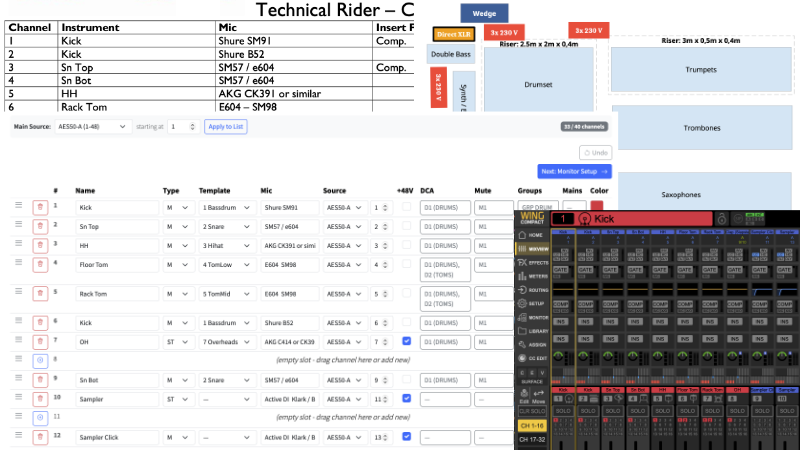
Snapshot Generator
BETAGenerate WING snapshot files from Excel spreadsheets or PDF tech riders. Define your routing in a familiar format and convert it to a ready-to-use .snap file.
- Excel-to-snapshot conversion
- Template-based generation
- Auto-classification & merging
See Example Outputs
Not sure what to expect? View our example outputs to see the professional routing documentation these tools generate.
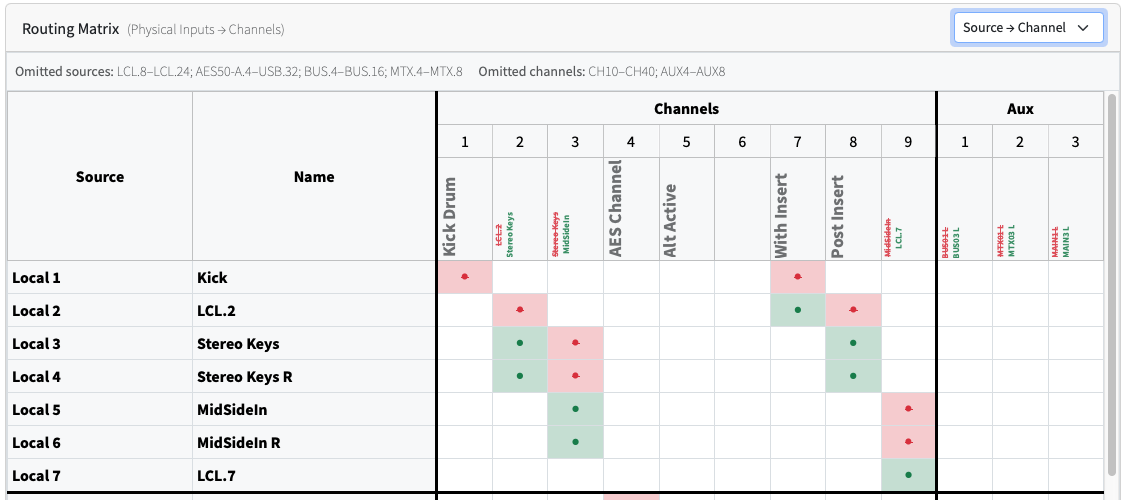
Routing Details
Tables & matricesView ExampleStagebox Labels
XLR connector labelsView ExampleExcel Export
Filterable spreadsheetDownload ExampleWho Benefits From These Tools?
From freelance engineers to large production companies, our tools help professionals across the audio industry
Installation Companies
Generate professional system documentation for permanent installations. Deliver clear routing overviews to clients for handoff and future maintenance.
Rental Companies
Verify show files before equipment goes out. Ensure consistent configurations across your fleet and reduce on-site support calls.
Touring Productions
Maintain consistent documentation across venues. Quick reference during load-in and clear communication with local crews.
Broadcast & Streaming
Verify complex routing for broadcast feeds and streaming outputs. Ensure all audio paths are correctly configured before going live.
Recording Studios
Track routing configurations for session recall. Document complex setups and maintain readable archives of your show files.
Houses of Worship
Train volunteer operators with clear documentation. Ensure consistent audio routing across different services and events.